The Arrived Platform
Your whole school day, on one screen.
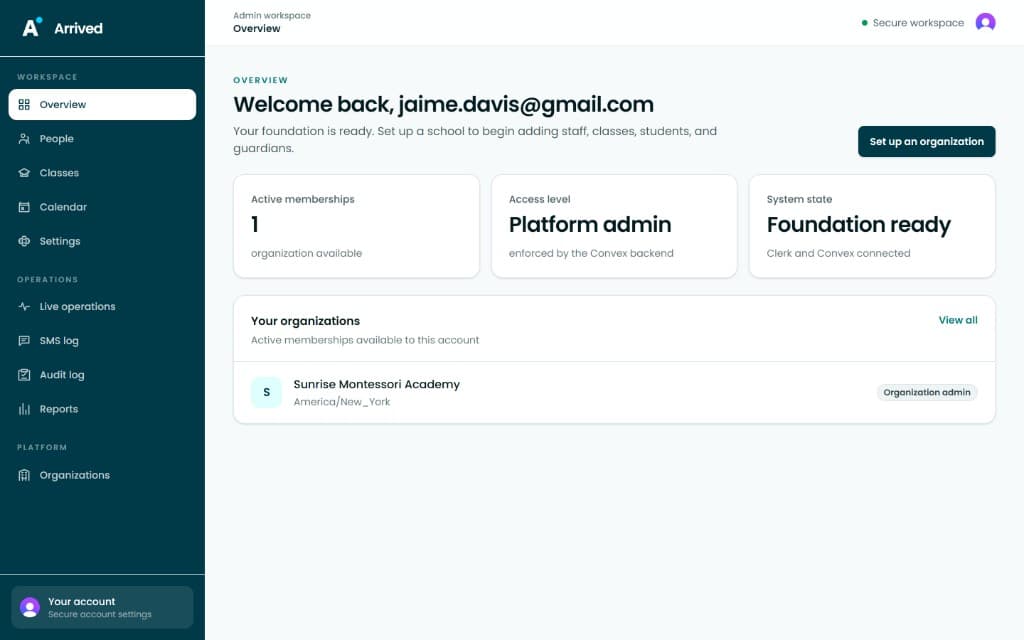
Behind every arrival text is a calm command center. One dashboard brings together attendance status, class progress, and open alerts — so nothing slips through the cracks.
The Arrived Platform
Behind every arrival text is a calm command center. One dashboard brings together attendance status, class progress, and open alerts — so nothing slips through the cracks.
Getting Started
No hardware, no IT project, no training day. Add your people, build your classes, and Arrived handles the rest of the year.
People
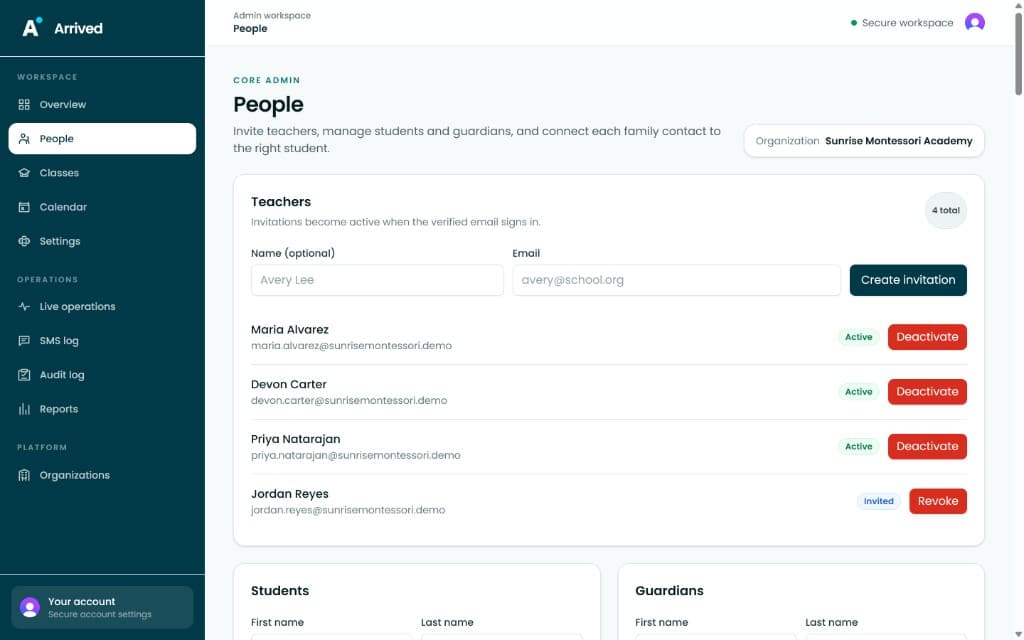
Invite staff, manage access levels, and keep your roster up to date with a few clicks. No spreadsheets, no confusion.
Classes
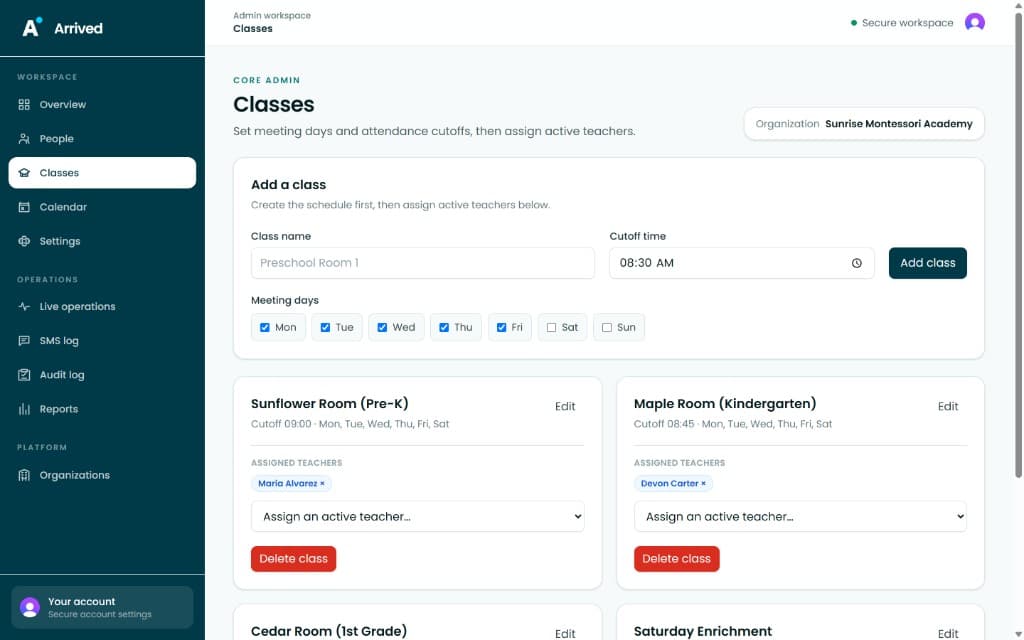
Define meeting days, set cutoff times, and assign teachers to rooms — all from one clean configuration screen.
Calendar
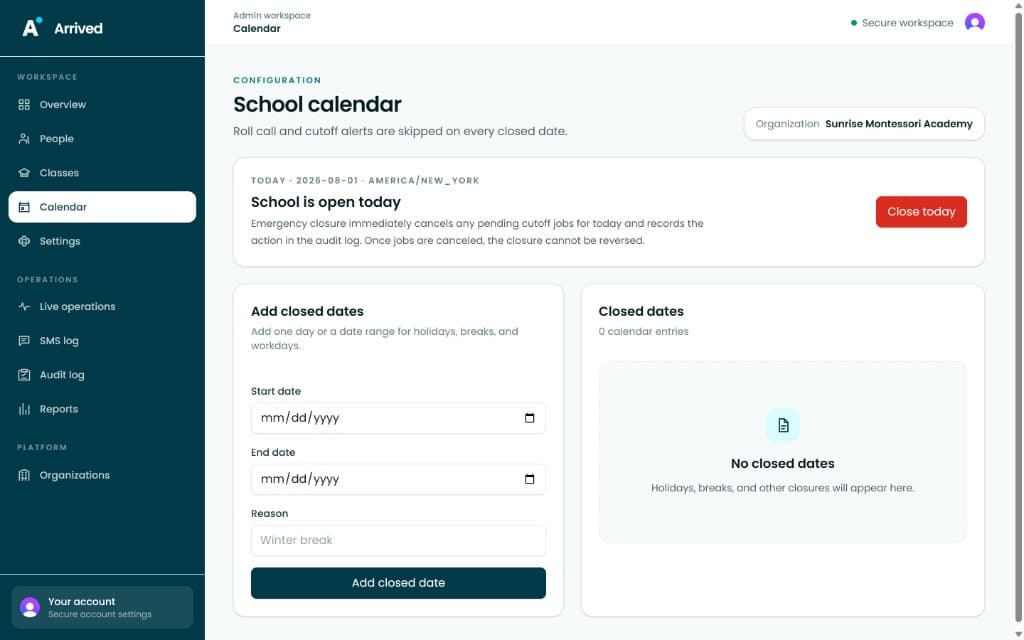
Add holiday closures, in-service days, or weather cancellations once, and Arrived automatically adjusts roll-call for the year.
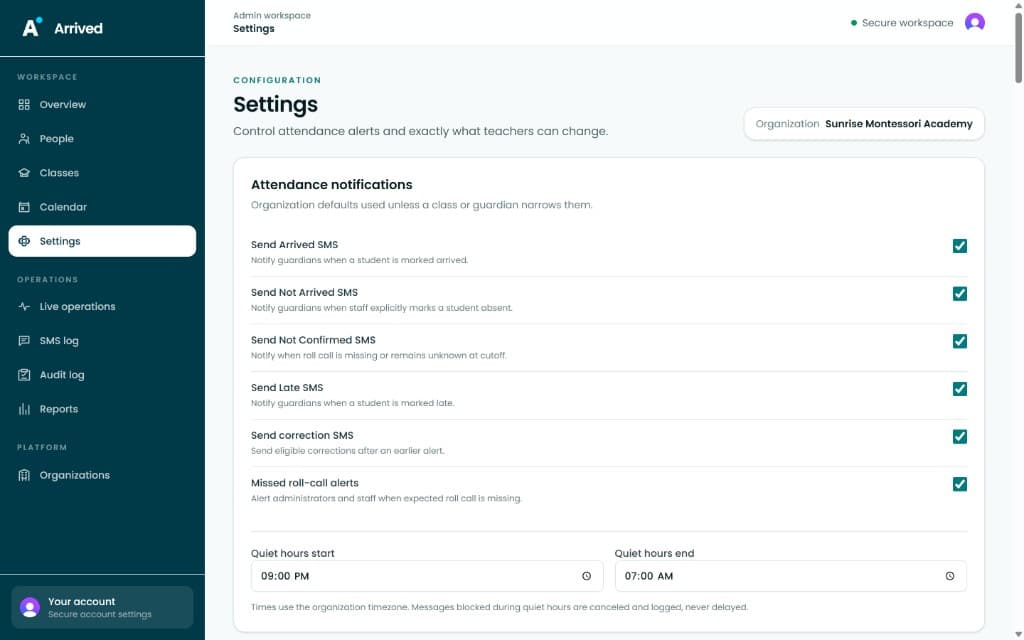
Notifications
Configure SMS quiet hours, alert thresholds, and notification channels — so guardians hear from you at the right moment, every time.
During the Day
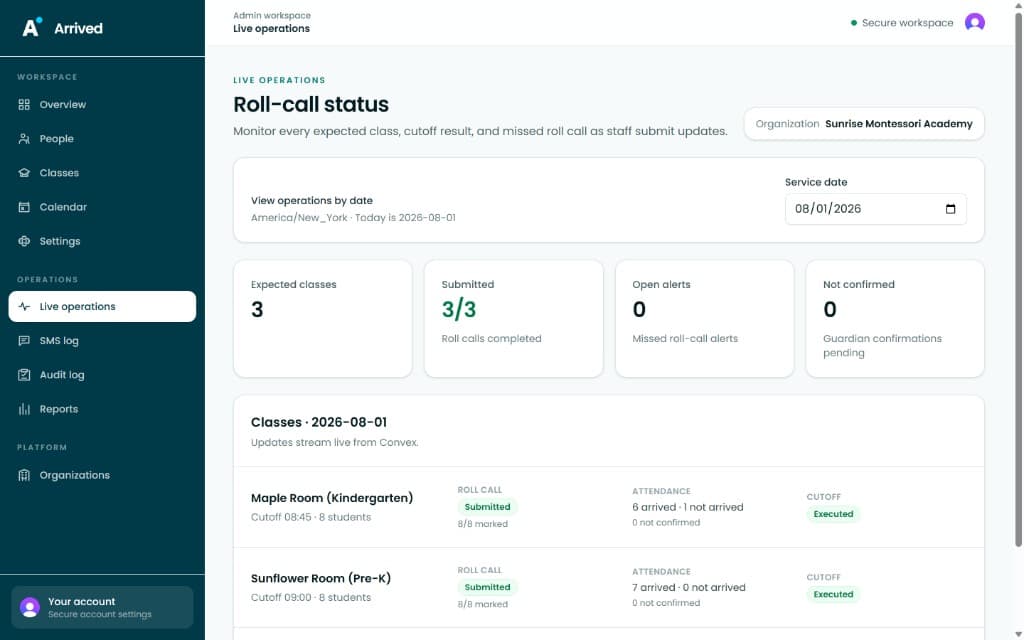
From first drop-off to final roll call, you can see every class, every confirmation, and every open alert as it happens.
Live Ops
See exactly which classes have submitted, which guardians are unconfirmed, and whether any alerts remain open — in real time.
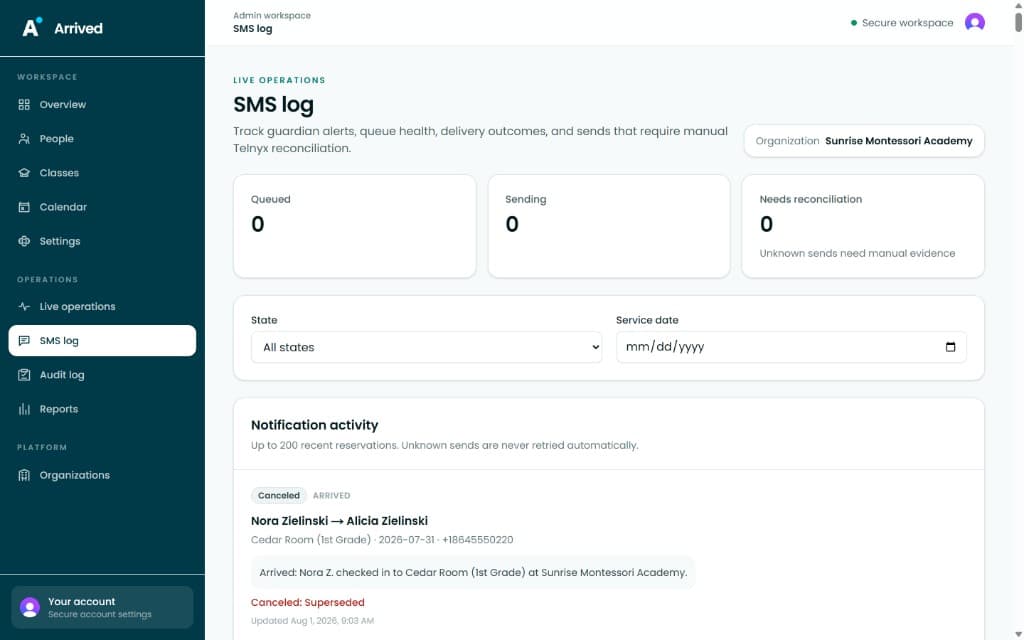
Messaging
A full SMS delivery log shows queued, sent, and reconciled messages so you always know who heard from you and when.
Accountability & Scale
Every action is recorded, every report is one click away, and adding a new campus takes minutes, not meetings.
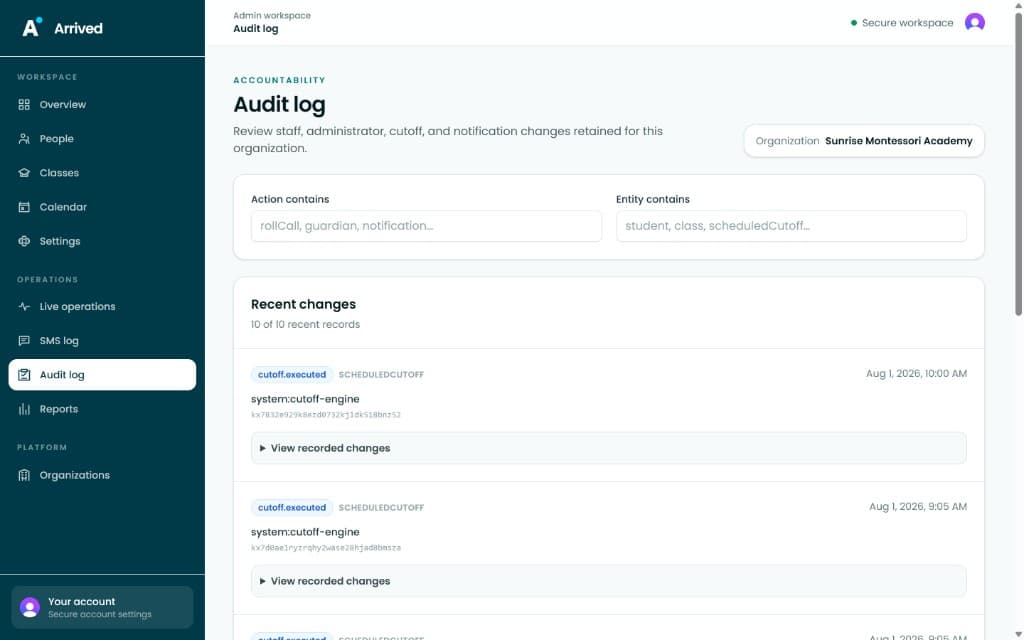
Audit Log
From permission changes to schedule edits, every action is logged with timestamps and user context for full accountability.
Reports
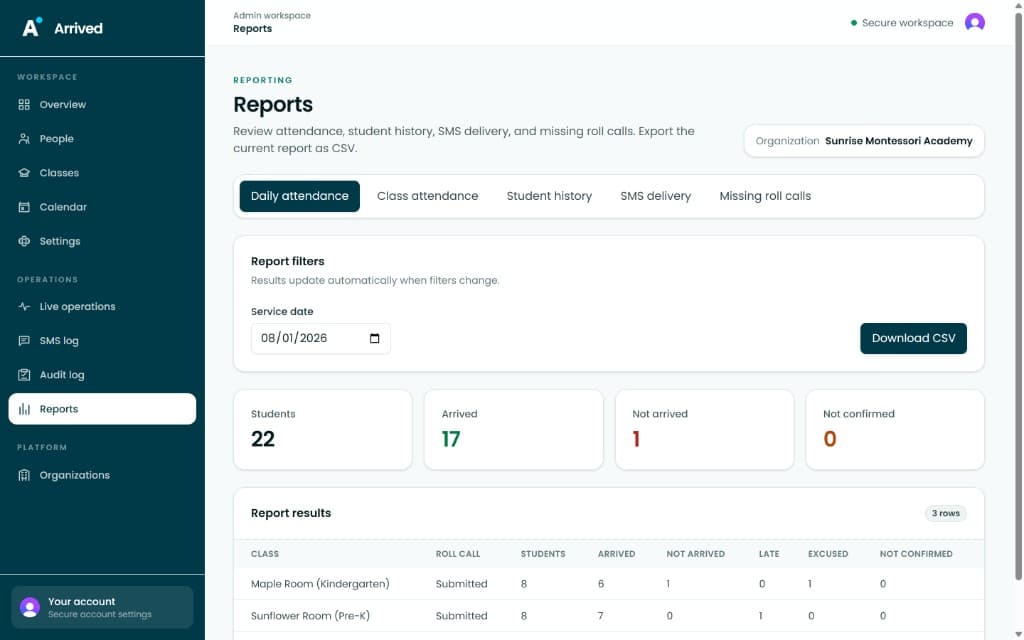
Filter by class, date, or status and download a clean CSV report — perfect for sharing with administrators or regulatory bodies.
Scale
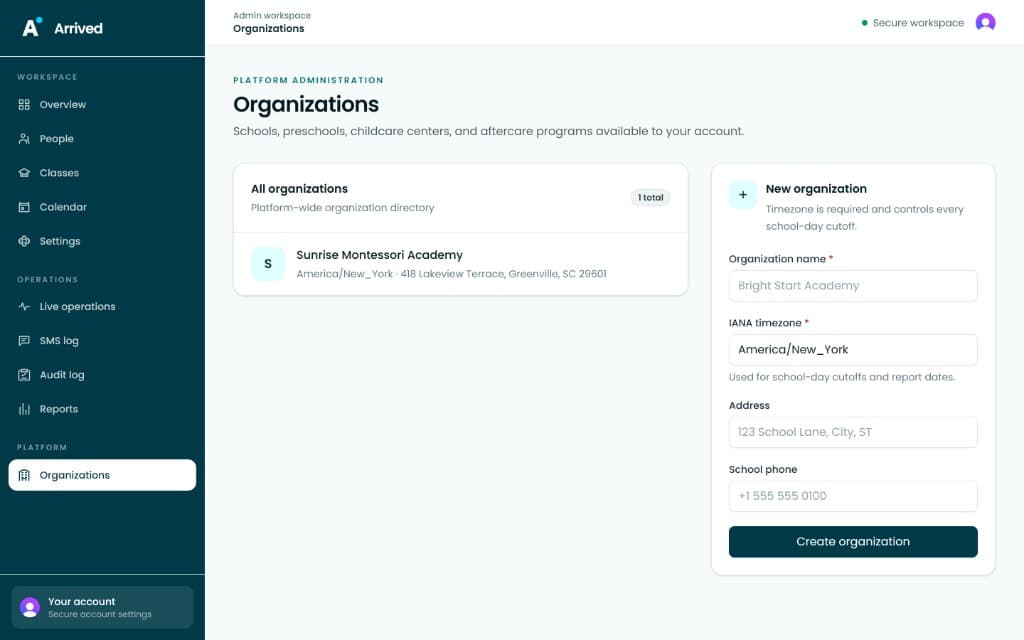
Arrived grows with you. Add new organizations, configure each independently, and manage your entire network from one platform.
Arrived Lite is free for every school and childcare center — funded and maintained by the SafeSeat nonprofit.
Request Free AccessNo hardware · No contracts · Set up in an afternoon